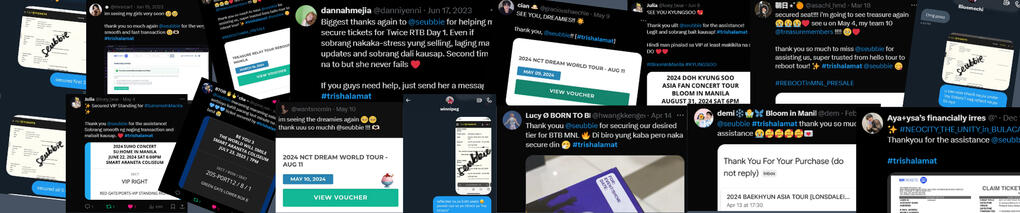
seubbie's online ticket purchasing assistance
About me
@seubbie was former a korea yangdo pasabuy (est. 2021-2022) that turned into a ticket purchasing assistance (tpa) account since 2022.Twitter / X is the only social media platform I used in my transactions.Please take your time to read T&Cs and FAQs before proceeding to avail a slot.Feel free send me a message if your inquiry isn't mentioned here! ☻
Terms and Conditions
➢ Open to any events/concerts.➢ I provide assistance in any ticketing systems in PH.➢ Customers must provide their accurate details. Any wrong information given is not my responsibility.➢ First come, first serve basis via twitter DMS or Google Forms.➢ Client must pay the assistance fee right after getting a slot. In case I failed to secure your ticket/s, 50% of the fee will be refunded for the time and service invested through the whole ticketing.➢ Clients using their own payment details must be active and on standby during ticket selling day. I will dm you immediately once you desired seat is on my cart for confirmation and will ask for OTP during the payment process.➢ Once secured, you can change you smtix acc password to ensure your security.➢ All details disclosed during the transaction must be held confidential by both parties.➢ Keep in mind that availing TPA doesn’t 100% guarantee you and your desired tickets. However, during my past ticket selling I can enter the site immediately, which increases the chances of securing tickets.
General Infos
➢ Mode of payment depends on the ticketing system we'll use.➢ You can use any available mode of payment, I prefer GCash/Maya more since you can pay thru QR. If you want to use your CC or any card. I will consider it if you are willing to give me the card details.➢ I don't sell or secure extra tickets. All tickets I secure are all for my respective clients.➢ Slot reservation is via Twitter DM or Google Forms only.
Frequently Asked Questions
General:1. What is ticketing assistance / pasabuy?
- Ticketing assistance, also known as pasabuy, is a service where someone helps you purchase tickets for events. This can be particularly useful if you want a higher chance to secure a ticket, or are unable to access the ticketing website due to high demand, time constraints, or other reasons.2. What events do you assist?
- I assist with purchasing tickets for a variety of events including concerts (local or international artists), sports events, theater shows, and other live performances. I aim to help you secure tickets for your favorite events without the hassle.3. Is my ticket already guaranteed if I availed through your assistance?
- No, availing TPA does not 100% guarantee that you will get your desired tickets. Please keep in mind that I do not have connections to any organizers, online or offline. However, based on my past ticket-selling experiences, I have been able to enter ticketing sites immediately, which increases the chances of securing tickets.4. Can I receive a refund if you’re not able to secure my ticket?
- Only 50% of the assistance fee for my time and service invested through the whole ticketing.5. Will there be a separate assistance fee if I’ll avail both presale and gensale?
- Yes.6. If I am offline during the ticket selling, can I transfer my money and purchase using your payment details instead?
- Yes I can consider using my payment details instead. However, for Sm Tickets, I will not give any authorization letter or go with you to claim the printed ticket. For Ticketnet, you can still claim the printed ticket by yourself, I will provide you my last 4-digit number.7. How many slots do you cater per event?
- It depends on how big the event will be, and the time me and my other assistants can spent assisting in the ticket selling day.8. How many hours can you invest to assist per ticketing?
- We offer our service and keep on trying to get your desired seat/s up to 4-5 hours once the ticketing started.8. Can I avail a slot for my ticket both presale and gensale? In case you won’t be able to secure it during presale?
- Yes, but a reminder that the slot for presale and gensale are different. You need to pay the assistance fee again to secure a slot.9. Can I request for assistance in an event you haven’t posted yet?
- Yes, you can message me to request for assistance with an event even though I haven’t posted it yet. I will check my schedule if I can open assistance for that said event.10. Can I cancel my assistance if I was able to secure my tickets first?
- Yes, just give me an update so I can remove you from my list. There is no cancellation fee but the assistance fee is non-refundable.11. What are your payment terms?
- Assistance fee: right after availing a slot
- Ticket price (including online fee): until the day before the ticket selling day (if using my payment details)
Feel free to message me if your inquiry isn't mentioned here! ☻
Ticketnet:1. What are the details I need to send?
- You can refer to this tweet for format/reference.2. I don’t have a card to use to purchase the ticket, can we use your card instead?
- Yes, just transfer the money to my Maya and I’ll purchase your ticket using my card.3. How to claim the printed ticket?
- A week before the event day, go to Araneta’s ticketnet outlet (inside yellow gate) and show your e-ticket along with your valid ID, once the ticket name is confirmed they will ask for the last 4-digit card number that was used to transact and pay ₱50 for the printing fee.4. If my ticket was purchased through your card, can I still claim my printed ticket?
- Yes, kindly message me and I will give you my last 4-digit of my card number so you can claim it by yourself.
Feel free to message me if your inquiry isn't mentioned here! ☻
SM Tickets:1. What are the details I need to send?
- Send me a message using this format:
★ Event Name
★ SM Tickets Account Login Credentials
★ Presale or Gensale (if applicable)
★ Membership code (if during presale)
★ Desired Seat/s and Quantity
★ (2) Back-up seat/s
★ Mode of payment
2. Can I use your SM Tickets account instead?
- Unfortunately, no. You can create your own SM Tickets account so it will be transacted under your name, since I won't claim any physical tickets from the malls. You can message me to ask for a guide.
Feel free to message me if your inquiry isn't mentioned here! ☻
Pulp Tickets:1. What are the details I need to send?
- Send me a message using this format:
★ Pulp Tickets Account Login Credentials
★ Desired Seat/s and Quantity
★ (2) Back-up seat/s
★ Ticket Holder’s Information (Complete Name)
★ Mode of payment
2. Can I use your Pulp Tickets account instead?
- Unfortunately, no. Since Pulp Tickets require name verification on the event day. You can create your own Pulp Tickets account so it will be transacted under your name. You can message me to ask for a guide.
Rates
Rate is fixed ₱400 from farthest seat, and addtional 100 to 200 every tier after (nearing the stage). Depending on the event’s seat plan.For sample reference:
Gen Ad = ₱400
Upper Box Regular = ₱550
Lower Box Regular = ₱700
Lower Box Premium = ₱850
VIP Seated = ₱1,000
VIP Standing = ₱1,150Again, this is only a sample. The rate solely depends on the seat plan provided by the event organizer.- Assistance fee is charged per ticket.
- Failure to secure will result of a full ticket refund (if will use my payment details), excluding the 50% of the assistance fee for the time and service invested through the whole ticketing.MOP: GCash, Maya, PayPal
Steps to avail a slot:
Step 1: Read T&C, FAQs (general, and SM Tickets / Ticketnet / Pulp Tickets if applicable).Step 2: Send me a message with the format of the details needed or fill out the Google Form (if I provided one)
SM Tickets:
★ Event Name
★ SM Tickets Account Login Credentials
★ Presale or Gensale (if applicable)
★ Membership code (if during presale)
★ Desired Seat/s and Quantity
★ (2) Back-up seat/s
★ Mode of paymentTicketnet:
★ Desired Seat/s and Quantity
★ Check this tweet for reference of ticketnet detailsPulp Tickets:
★ Pulp Tickets Account Login Credentials
★ Desired Seat/s and Quantity
★ (2) Back-up seat/s
★ Complete Name (for Ticket Holder’s Information)
★ Mode of payment
Step 3: Pay for the assistance fee.Step 4: Wait for my confirmation thru Twitter DM.Step 5: During ticket selling day, kindly keep on standby and online for my messages especially for clients who’ll use their own payment details (for OTP).Step 6: Once ticket/s are secured and I sent a confirmation message, check your email, account, or pdf for the ticket voucher and send me a message for confirmation.Step 7: Post a feedback using #trishalamat for proofs.
Ready to avail a slot? Send me a message now!